Music System
Adaptive Music with Combat Stem Layering
Music crossfades smoothly between two slots. During combat, intensity stems fade in as enemy count rises — each stem has its own
Fade In At Enemy Count, Volume, and Fade Time, building tension dynamically without any Blueprint wiring.Sound Profiles
A
UAudioCoreSoundProfile data asset bundles a complete soundscape — day music, night music, combat music, looping ambient beds, and random scatter one-shots. Assign it to a zone or the player component and the whole area comes alive automatically.Music Resume
AudioCore remembers where a track was when it was swapped out. Return within the configurable
Resume Memory Duration and it picks up mid-track. Works across zone transitions, interior volumes, and combat exits.Runtime Music API
Full Blueprint API on the player component:
SetMusicOverride, ClearMusicOverride, SetProfileOverride, SetMusicDuck, PlayStinger, and RefreshAudio. Use from quests, cinematics, or any gameplay event.Zones, Interiors & Spatial Audio
Priority-Stacked Zones
AAudioCoreZone actors push onto a priority stack when the player enters. The highest-priority zone drives music and ambience. Exit any zone and the next one down resumes automatically — no manual tracking needed.Interior Volumes
AAudioCoreInteriorVolume applies a low-pass muffle filter and reverb effect to the entire mix while inside — affecting all audio, not just AudioCore. Controls exterior ambience leak, music ducking, optional room tone, and dedicated interior music.World Audio Sources
Point sources (
AAudioCoreSoundSource) and spline sources (AAudioCoreSplineSource) place persistent sounds in the world — waterfalls, rivers, campfires, forges. Both support a core radius for surround-field rendering and optional environmental ducking of music and ambience on approach.Mix Snapshots
Push predefined mix states from gameplay — underwater, low-health, dream sequence, spirit realm.
PushAudioSnapshot / PopAudioSnapshot blend in muffle, reverb, music pitch and volume changes, composing with any active interior volume.World State — Day / Night, Weather & Season
Day / Night Music
Call
SetTimeOfDay(0–24) from your sky or time-of-day system. AudioCore switches between day and night music variants at the configured hour boundaries — no Blueprint logic required. Music only re-evaluates when the boundary is actually crossed.Weather & Season Gates
Pass a Gameplay Tag to
SetWeather and SetSeason. Ambient beds and scatter layers carry optional gates — a "Rain" bed only plays when weather is Rain, "Snow" bird scatter silences in Winter. Native tags ship ready to use: AudioCore.Weather.* and AudioCore.Season.*.Combat Detection
Add
UAudioCoreEnemyMarker to any enemy actor. While one or more markers are within the player's detection radius, combat music engages. Combat Exit Delay keeps the music going after the last enemy leaves — eliminating music whiplash between back-to-back fights.Settings & Volume Control
AudioCore Settings Subsystem
UAudioCoreSettingsSubsystem holds Master, Music, SFX, and Ambient volumes. Wire directly to UI sliders, save/load via SaveSettings / LoadSettings, and react to changes with OnSettingsChanged — no custom save logic needed.Native Gameplay Tags
A starter vocabulary of weather, season, and snapshot tags ships with the plugin:
AudioCore.Weather.Rain, AudioCore.Season.Winter, AudioCore.Snapshot.Underwater, and more. Use them directly or extend with your own project tags.Live Debug Overlay
Type
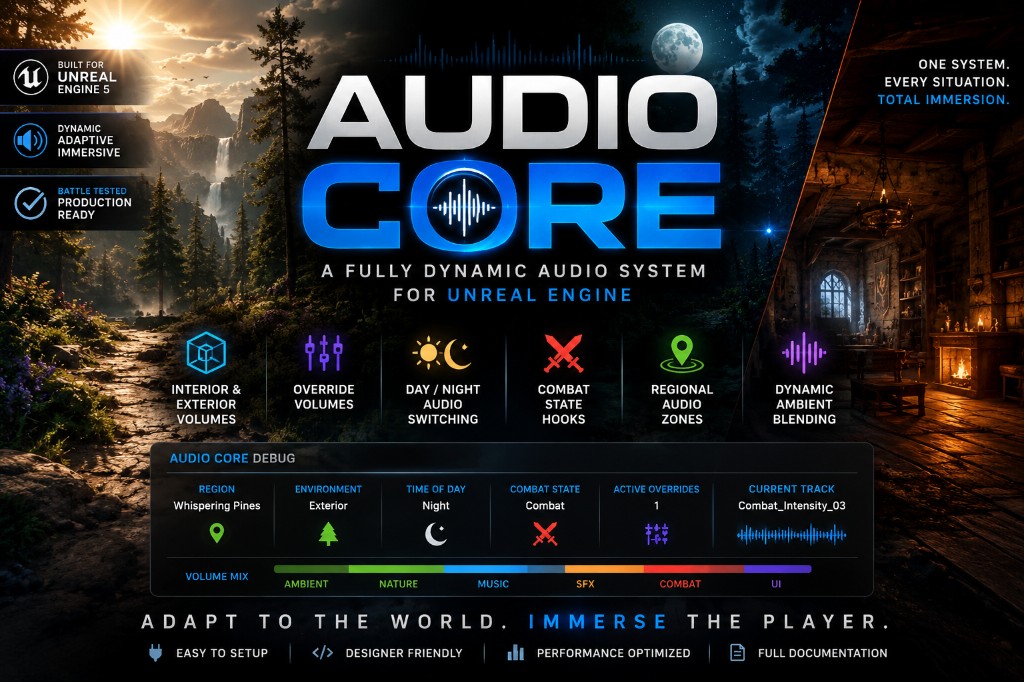
AudioCore.Debug 1 in the console to show the live debug panel in PIE. Colour-coded sections for Music, Combat, Ambience, Interiors, Snapshots, Zones, World State, and World Sources — zero cost in a shipped build.AudioCore — Submitted to FAB
Currently under review on FAB. Read the full documentation or follow on Discord for launch updates.